ZenEdge Trade Dashboard
The gap between a trader with rules and a trader who follows them is usually about ninety seconds. This is what I built to fill it.
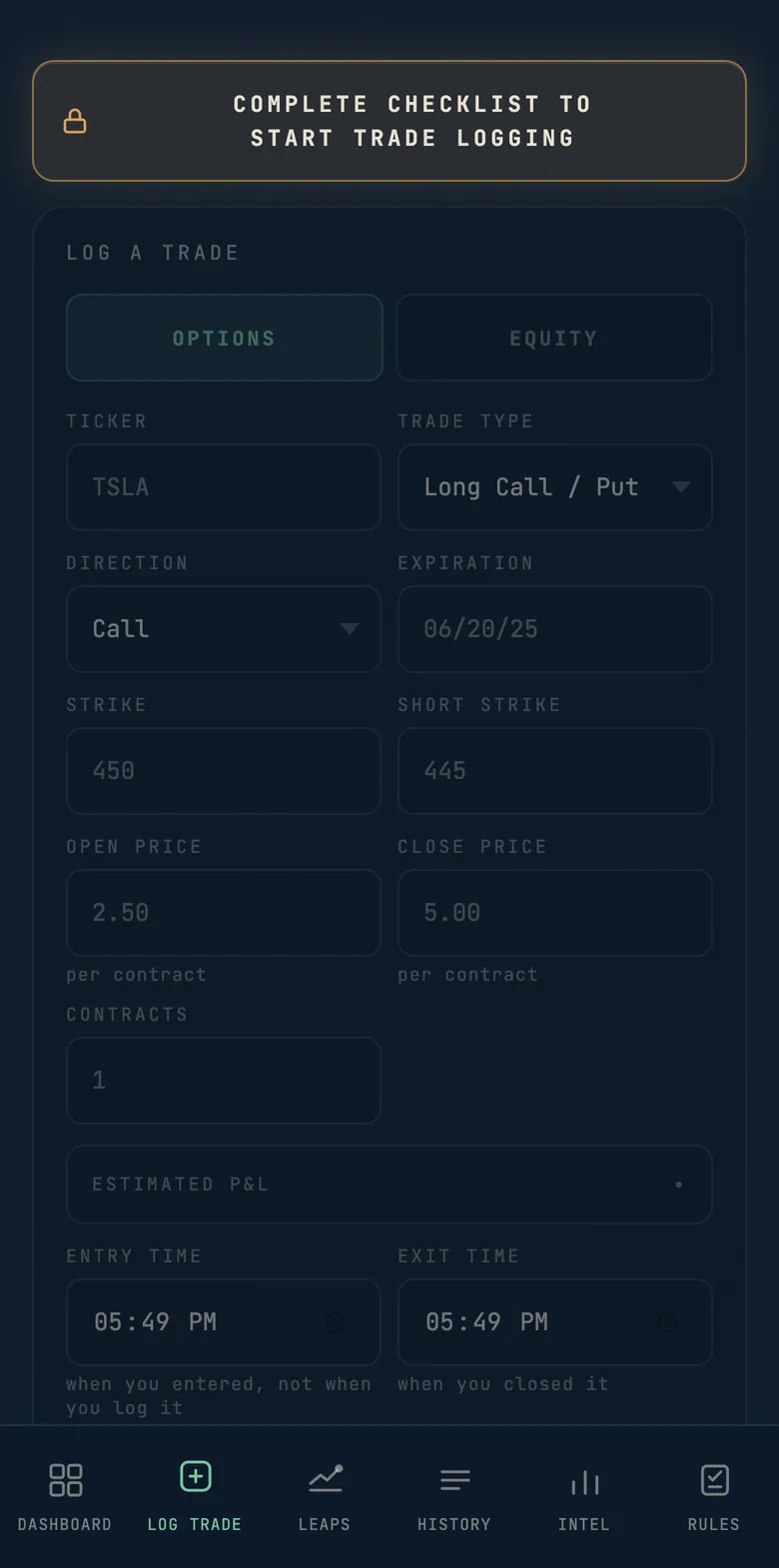
The log stays shut until you have worked the checklist. Be truthful, that is the whole point. 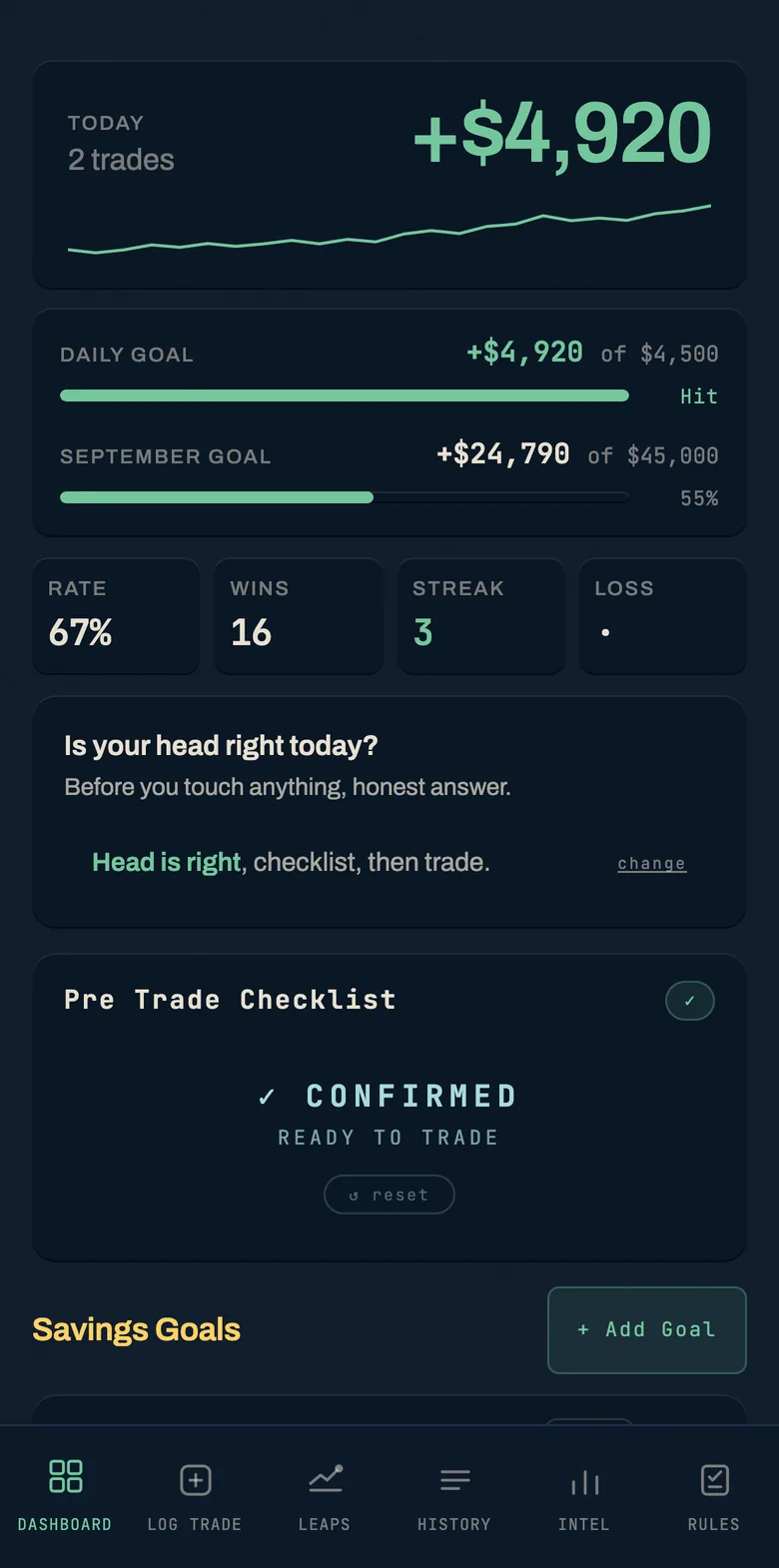
Where the day stands, and whether you are on pace for the month. 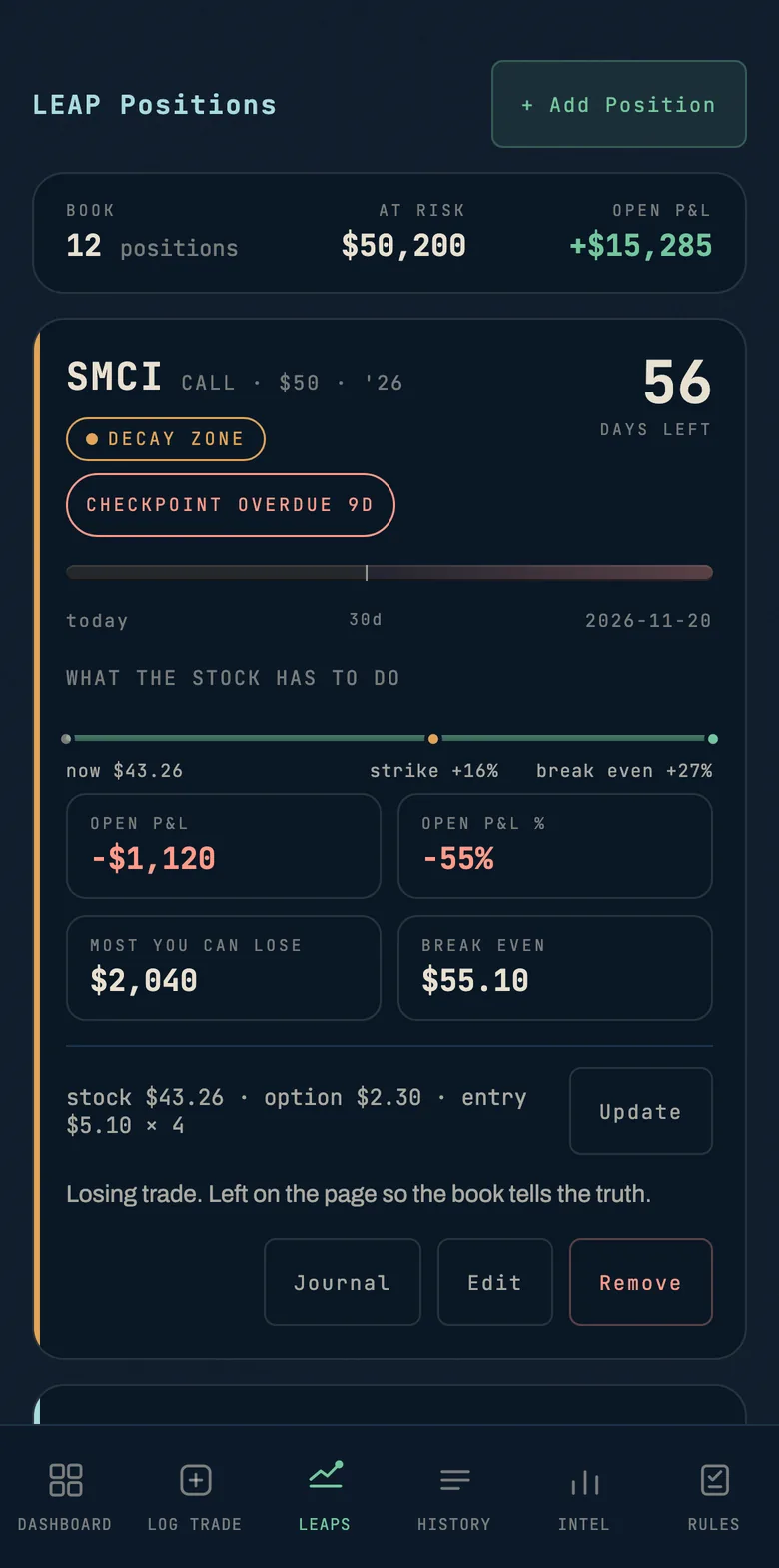
A long dated position, its clock, and exactly how far the stock still has to travel. 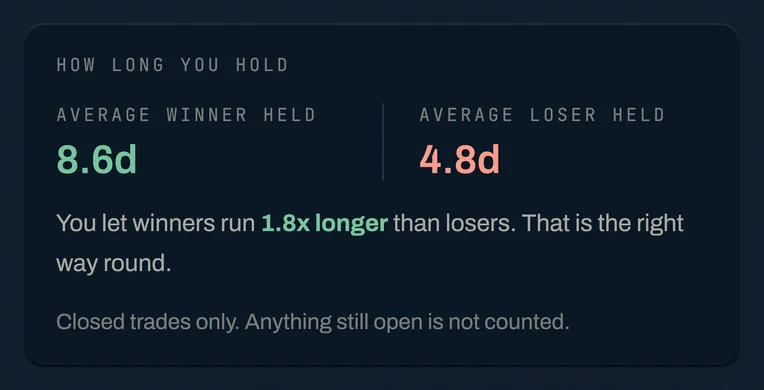
How long you hold winners against losers. Most traders have this the wrong way round. 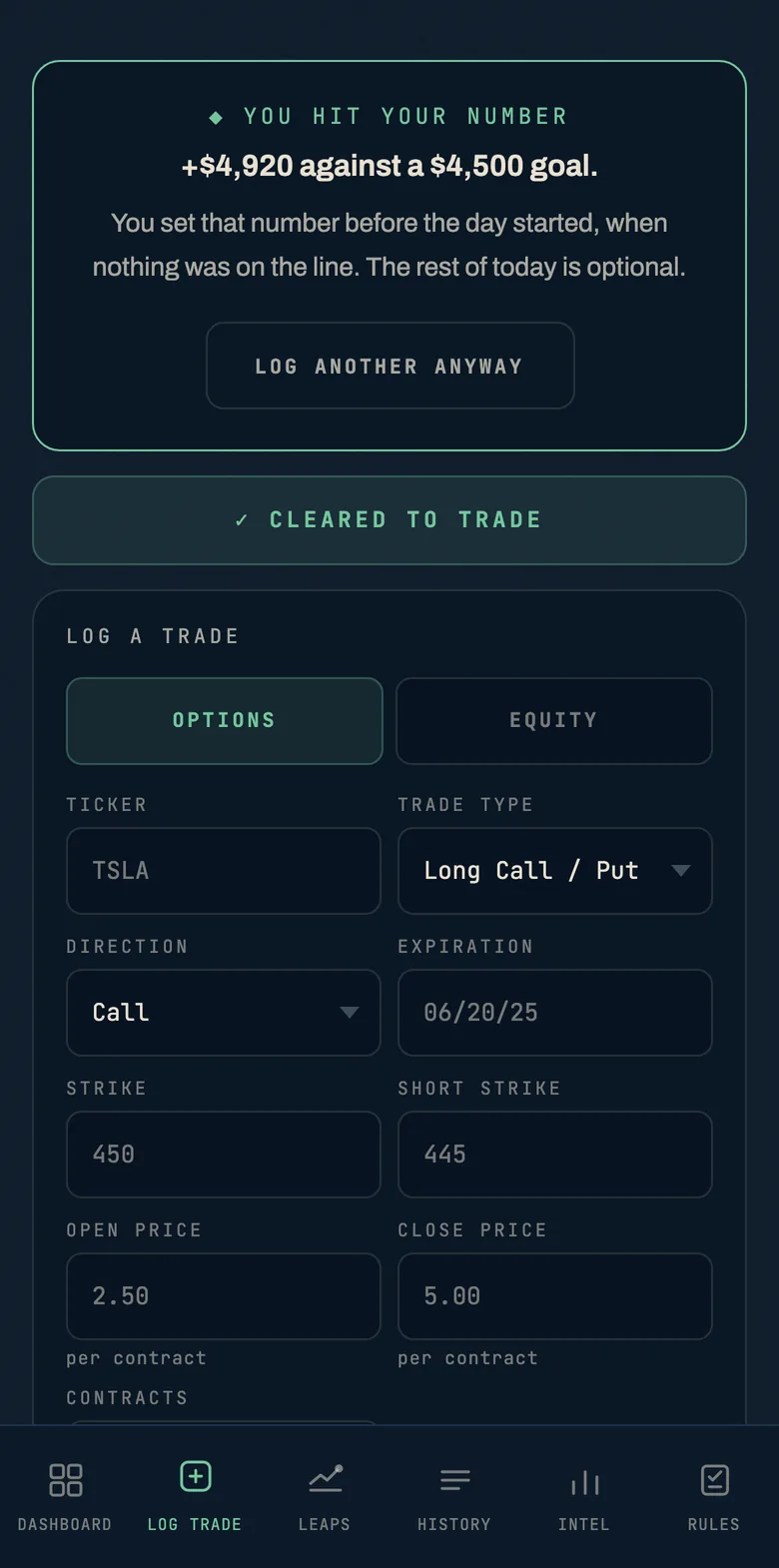
Hit the number you set before the day began and it tells you the rest is optional. 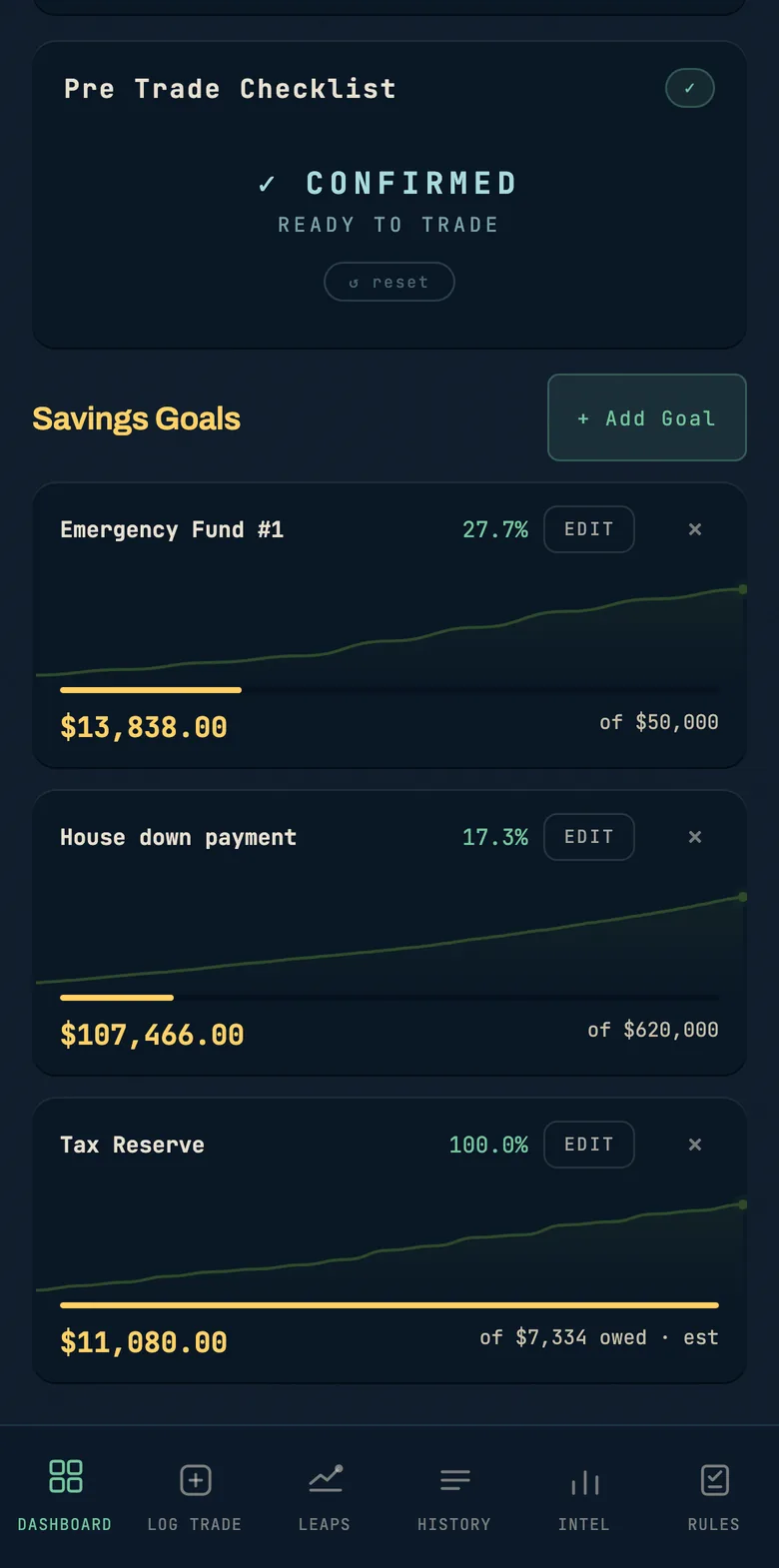
Mark a win and half of it goes straight into a goal. That is how these fill up. 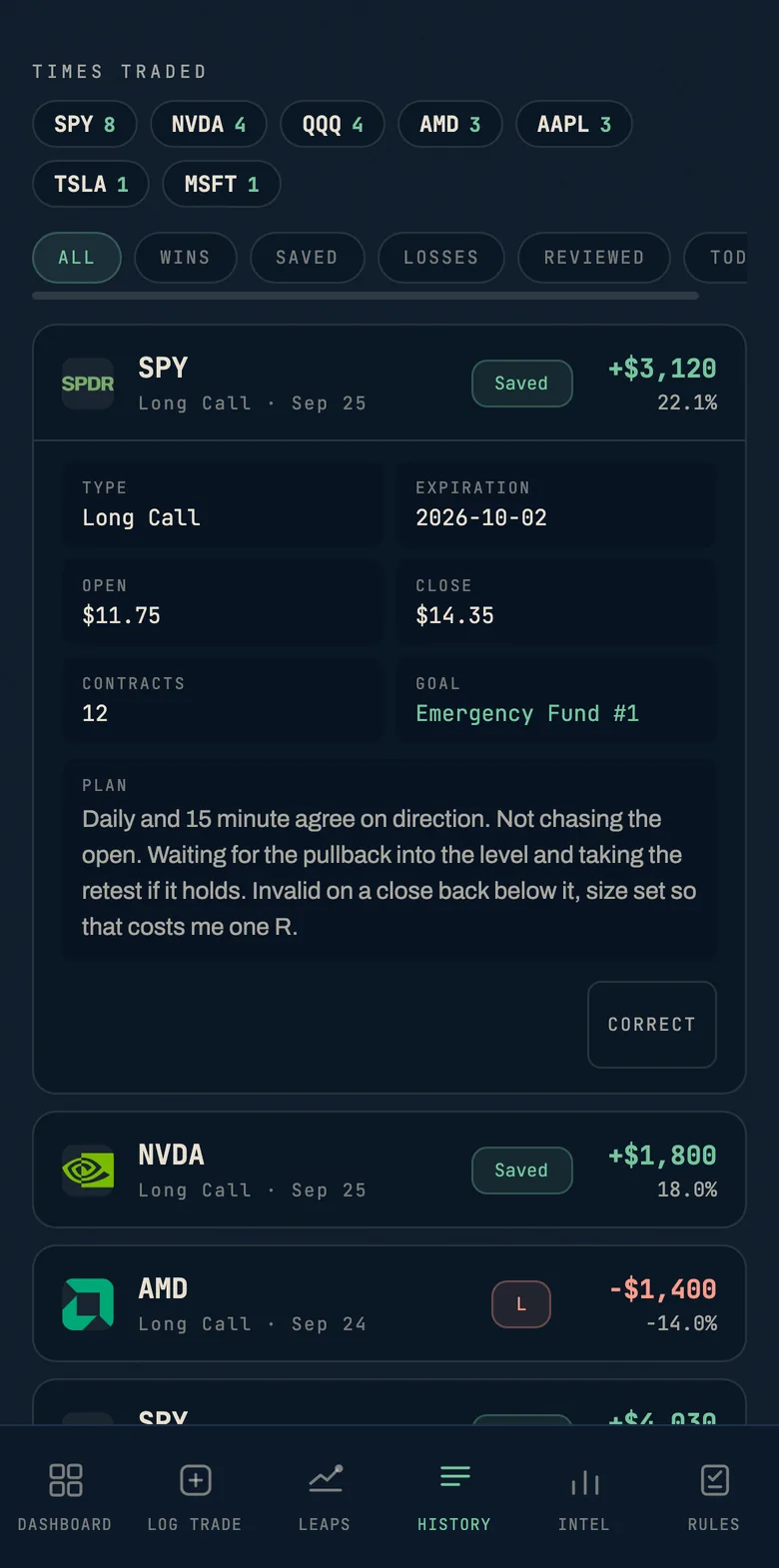
Every trade you logged, opened up to show the plan you wrote before you took it. 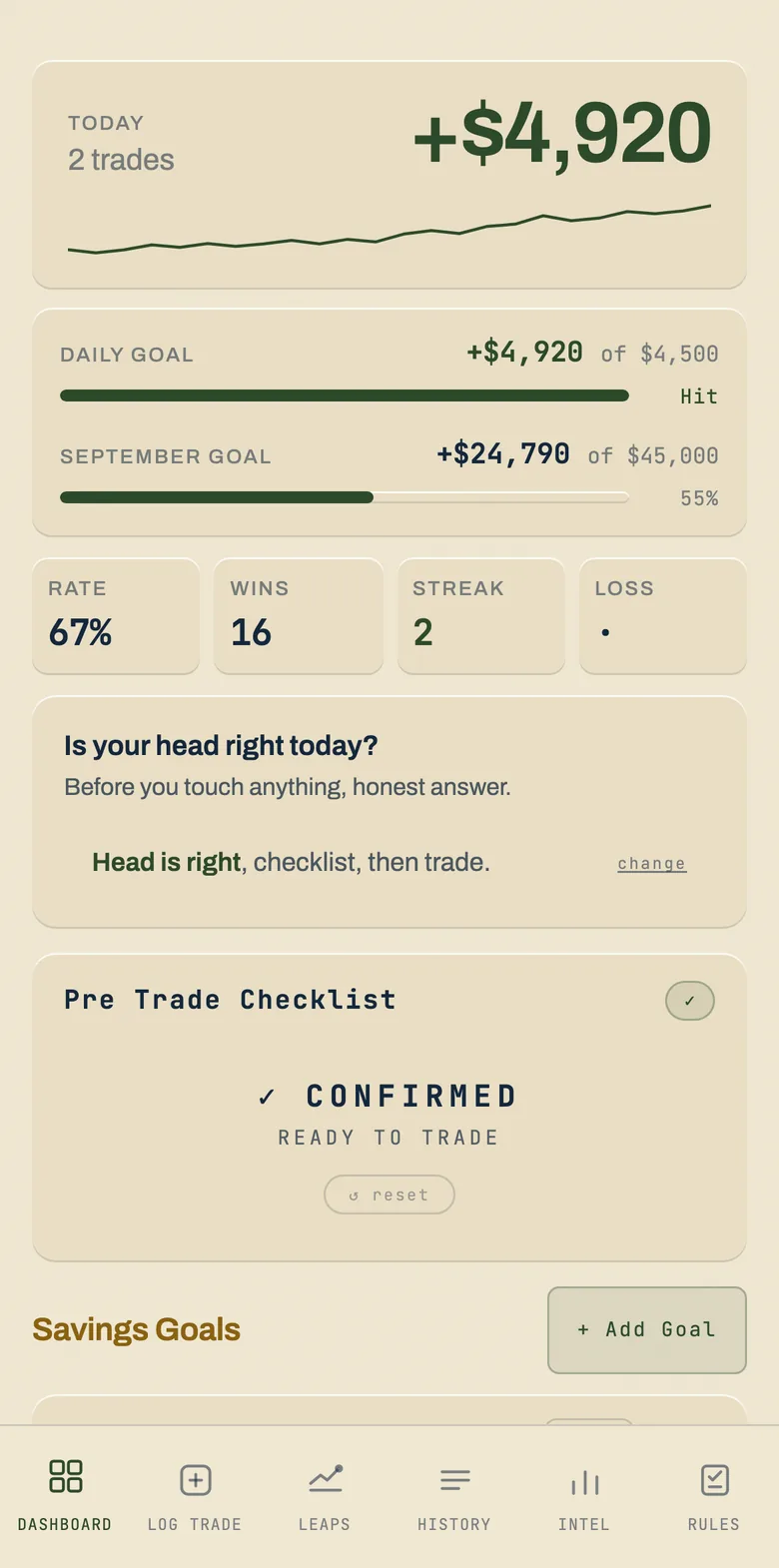
Navy or cream, remembered on each device.
You open this before you open the charts
It is not somewhere you come back to at the end of the day. It is the first thing you open. Phone, laptop, iPad, whatever is in front of you. You answer honestly whether your head is right, you work through the five item pre trade checklist, and only then do you pull up TradingView and go looking.
Until that checklist is done and confirmed, the Log Trade tab is locked and says so on the screen. It cannot stop you placing a trade at your broker and it is not pretending to. What it stops is you placing one without having sat down first.
Then every entry carries a nine item Strategy Checklist. The top down review, the timeframe agreement, the level you are entering against, the invalidation you will honor, the size that math actually supports. Log one that does not pass all nine and it stops to ask whether you are sure, then keeps the score with the trade.
That friction is the entire point of the thing. It is the same sequence I run on my own account, moved out of my head and onto a screen that will not let me skip a step on a fast morning.
What lives inside it
A trade log that holds cost basis and outcome and autosaves as you type. A journal with the same autosave. A goals board. The ninety day psychology loop, which asks the same handful of questions on a cycle so you can watch your own answers drift.
And a Tilt Detector, which tells you when you are in the state where traders give money back, before you take the next trade.
A LEAP book for the long dated positions that do not belong in a day trade log. Each one shows the days left, the decay zone it is heading into, what the stock still has to do to reach your strike and your break even, what you stand to lose, and the next catalyst. The sixty five day mark is a checkpoint you write, not a reminder you swipe away. It turns amber when it is due, red when it is late, and it will not close without a note.
The Intel tab reads your own history back to you. Your best and worst days, your best and worst time of day, how long you hold winners against losers, and whether following your checklist actually pays. It will not call something your best day off three trades. It waits until the sample means something, and says so when it does not.
Your history saves to your account every time you change something, so a new phone or a cleared browser does not lose it, and it opens on any device you sign in on. Export a backup file any time you want a copy of your own, and import it back.
How you open it
It lives on a private page at dashboard.zenedgetrader.com. Sign in with the email you bought with, enter the code we send you, and it opens on your phone, tablet, or computer.
It needs a connection to sign in. If you lose signal partway through, it keeps saving on your device and catches up with your account the moment you reconnect. Improvements land on the same page without you reinstalling anything.
- 01Private dashboard page, opens on phone, tablet, or computer
- 02Nine item Strategy Checklist gating every log entry
- 03Tilt Detector that tells you when to step away
- 04Intel on your best days, best times, and hold times
- 05Autosaving trade log with cost basis and outcome
- 06Goals board, daily journal, ninety day psychology loop
- 07LEAP book with decay zones and a sixty five day checkpoint you have to write
- 08History saved to your account, so a new phone does not lose it
- 09Improvements delivered to the same page at no extra cost
- 10Access runs a year, renews automatically, cancel any time